Pages set like a printed book, even on a phone
Most e-readers break lines one at a time: fill a line, push the next word down, then spread whatever room is left between the words. On a narrow phone screen that leaves lines full of holes. LocalBooks sets each paragraph as a whole, the way fine printed books are set.
The same page, the same settings
The Lair of the White Worm · Bram Stoker · chapter 5
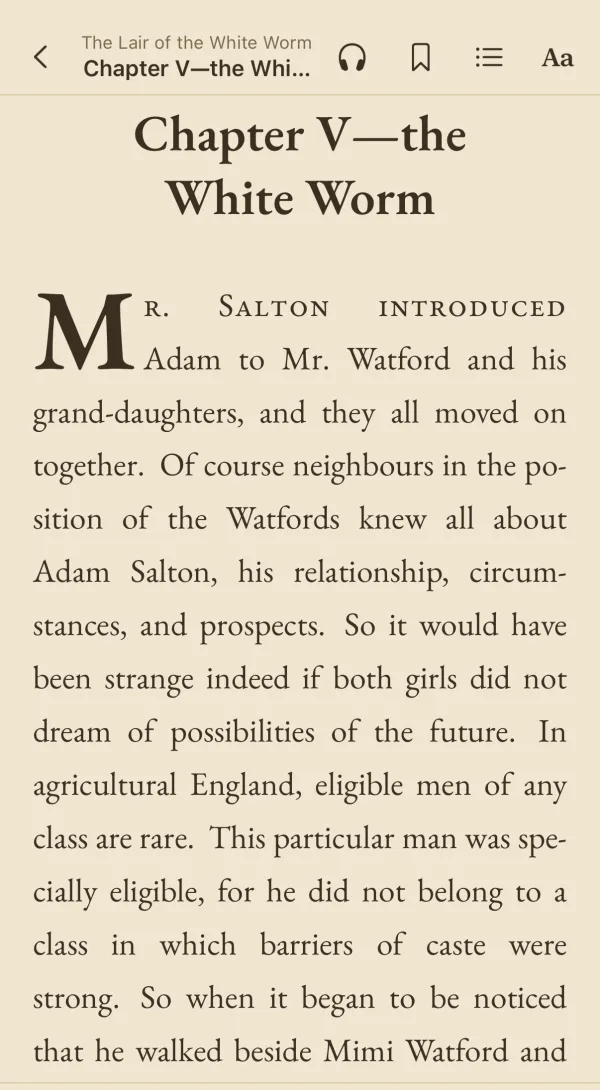
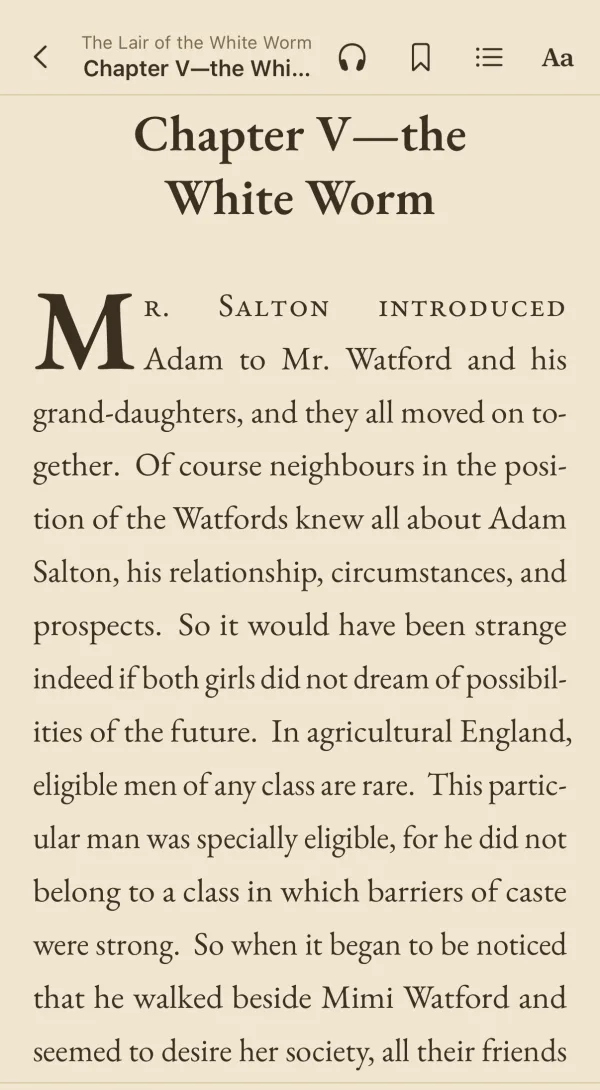
| Line by line | LocalBooks | |
|---|---|---|
| Word spaces over twice the normal width | 32.1% | 1.4% |
| Typical word space, compared with normal | 170% | 102% |
| Lines ending in a hyphen | 17.1% | 8.8% |
Little Women · Louisa May Alcott · chapter 5
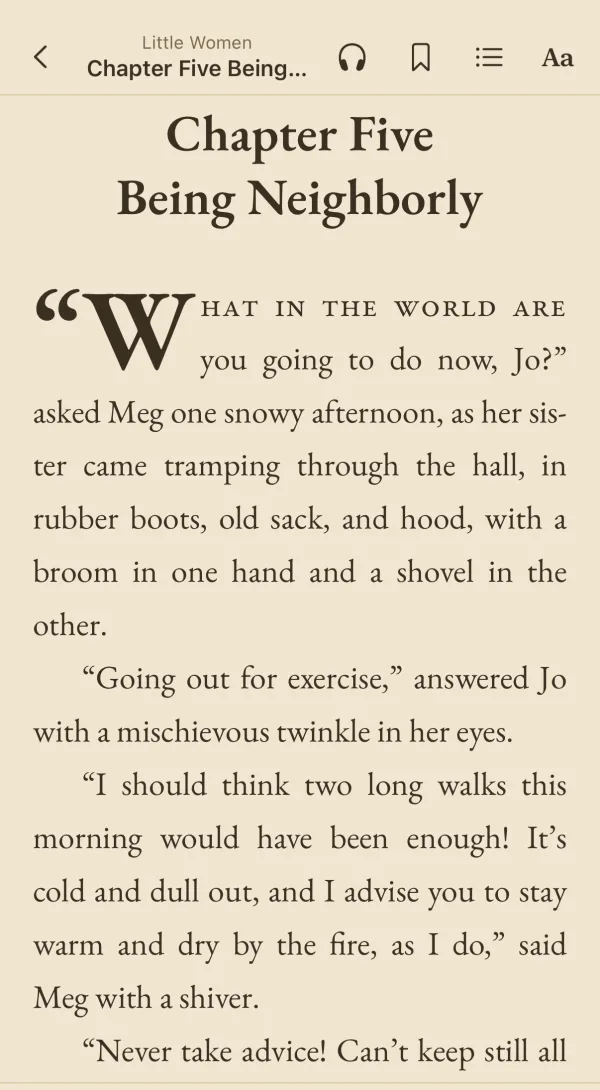
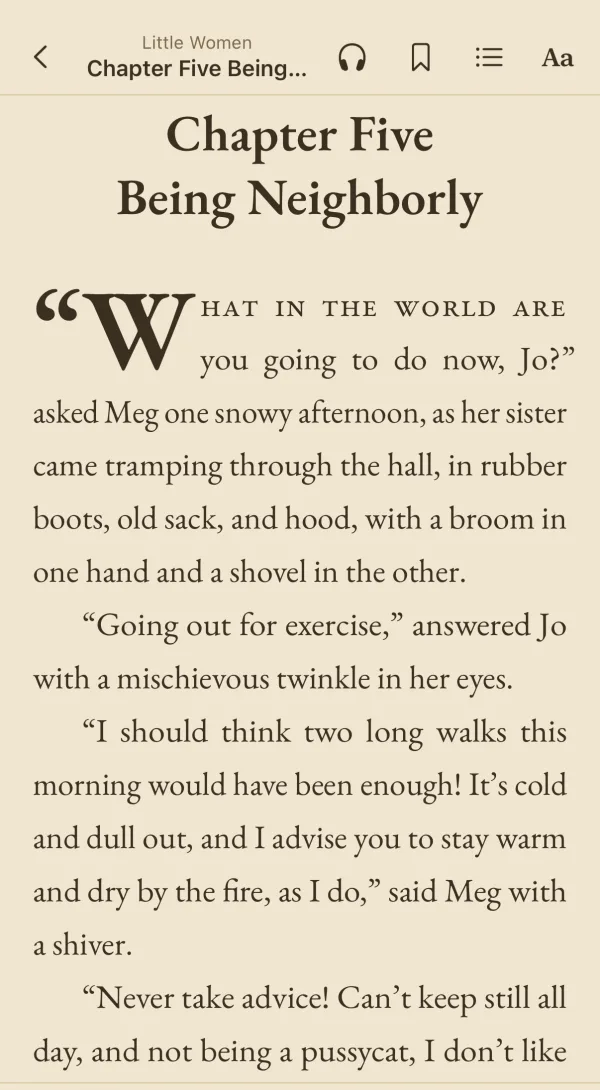
| Line by line | LocalBooks | |
|---|---|---|
| Word spaces over twice the normal width | 26.1% | 2.5% |
| Typical word space, compared with normal | 162% | 102% |
| Lines ending in a hyphen | 11.9% | 5.4% |
The Secret Adversary · Agatha Christie · chapter 2
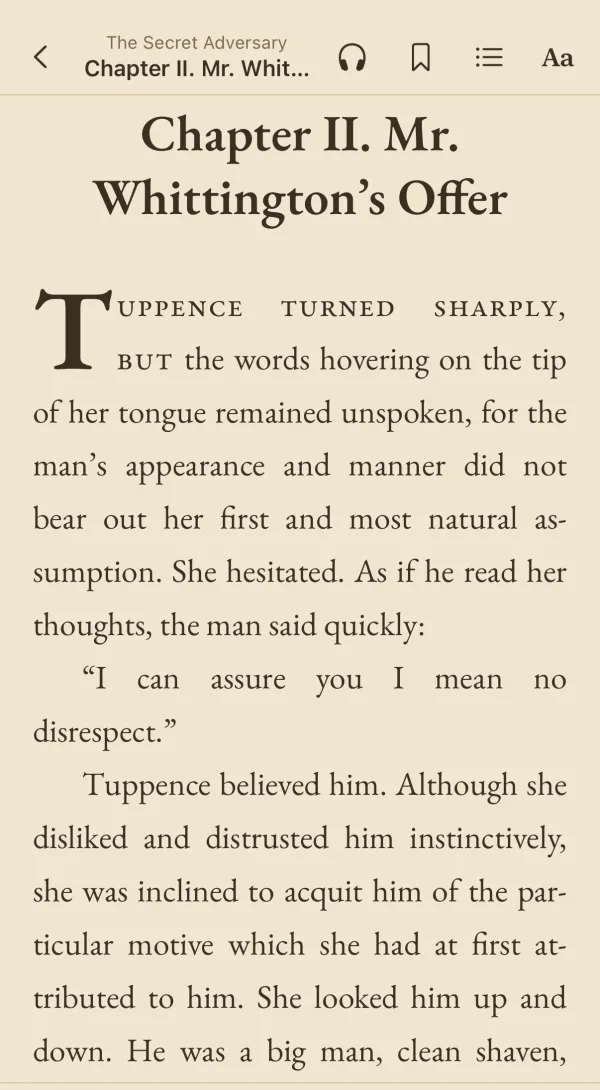
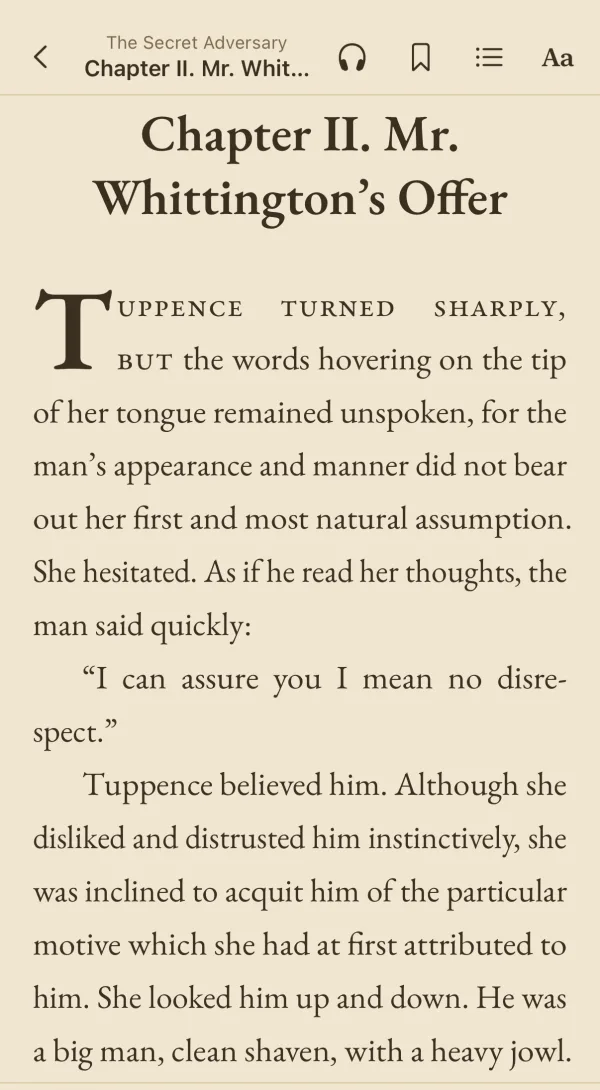
| Line by line | LocalBooks | |
|---|---|---|
| Word spaces over twice the normal width | 29.7% | 5.2% |
| Typical word space, compared with normal | 164% | 102% |
| Lines ending in a hyphen | 18% | 12.9% |
Measured over the whole chapter on an iPhone at the reader’s default settings.
How it works
- Line breaks chosen for the whole paragraph
- Before a paragraph is drawn, every way of breaking it into lines is weighed, and the one with the most even spacing wins. It’s the Knuth–Plass method, first written for the TeX typesetting system.
- Letters that give a little
- Each line can widen or narrow its letters by up to 3%, too little to notice, so the spaces between words stay close to normal.
- Hanging punctuation
- Periods, commas and quotation marks sit just past the right margin, so the edge of the text looks straight to the eye.
This is how the LocalBooks app for iPhone, iPad and Mac sets every book. In the web reader your browser sets the lines; Safari also weighs whole paragraphs and hangs punctuation.